The AI photoshoot platform for fashion brands.
Every clothing brand gets a full photography studio in the browser. Upload your garments once — PDP images, social content, and campaign visuals follow, at a fraction of what a traditional shoot day costs.
- Free sample shoot with signup
- Same models across every SKU
- Provider failures automatically refund
The problem.
Catalog photography is the most expensive, slowest step between a finished collection and a live product page.
Shoot days are expensive — and slow.
A single production day commonly runs PKR 300,000–800,000 once studio, photographer, models, and retouch are counted — and arranging it all takes weeks of coordination for every collection.
Generic AI tools ruin the garment.
Most image tools treat clothing as decoration. Chikankari gets smeared into noise, lawn prints warp at the seams, and the piece in the photo stops being the piece you sell.
Every generation is a new stranger.
One-off generators produce a different face in every image. A catalog where the model changes from SKU to SKU never reads as one brand.
The Fashion Studio solution.
Upload garments once. Everything downstream — PDP sets, colorways, campaign scenes — is generated, consistent, and on-brand.
Flat-lay to on-model
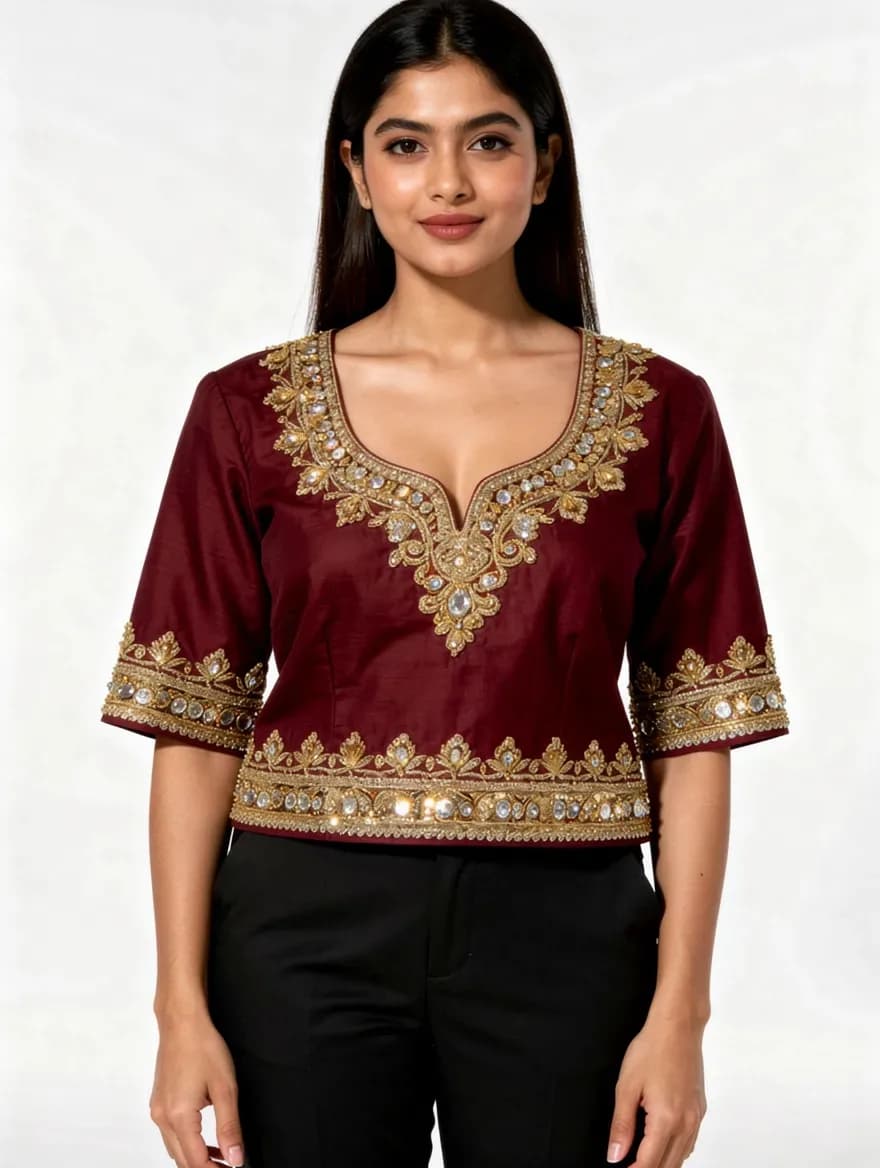
Upload a flat-lay, ghost-mannequin, or hanger shot and get a photorealistic model wearing that exact piece — correct drape, correct fit, PDP-ready framing.
See how it works
Fabric fidelity first
Built to be the one that doesn't ruin the embroidery. Chikankari, lawn prints, and woven texture carry from your reference photo into every output.
Brand Models
Save reusable AI models and cast the same 2–5 faces across every SKU, every season. One consistent identity is what makes a catalog feel like a brand.
Meet Brand Models
Colorway engine
One reference photo becomes the whole color run — recolor to a hex code or swatch while the print and texture stay exactly where they are.
Generate colorways
Modest styling, first-class
Dupatta draping, hijab styles, abaya-compatible posing, and coverage presets ship as built-in options — not an afterthought bolted onto a Western tool.
Batch 50 + review board
Run up to 50 garments per job and review the results in one grid. Provider or system failures auto-refund. Rejecting an image does not refund it; the first re-roll is free and later re-rolls consume credits.
The AI that doesn't ruin the embroidery.
Left: the flat-lay a brand actually has. Right: the generated on-model photo. Zoom in — the stitch work, borders, and print survive.
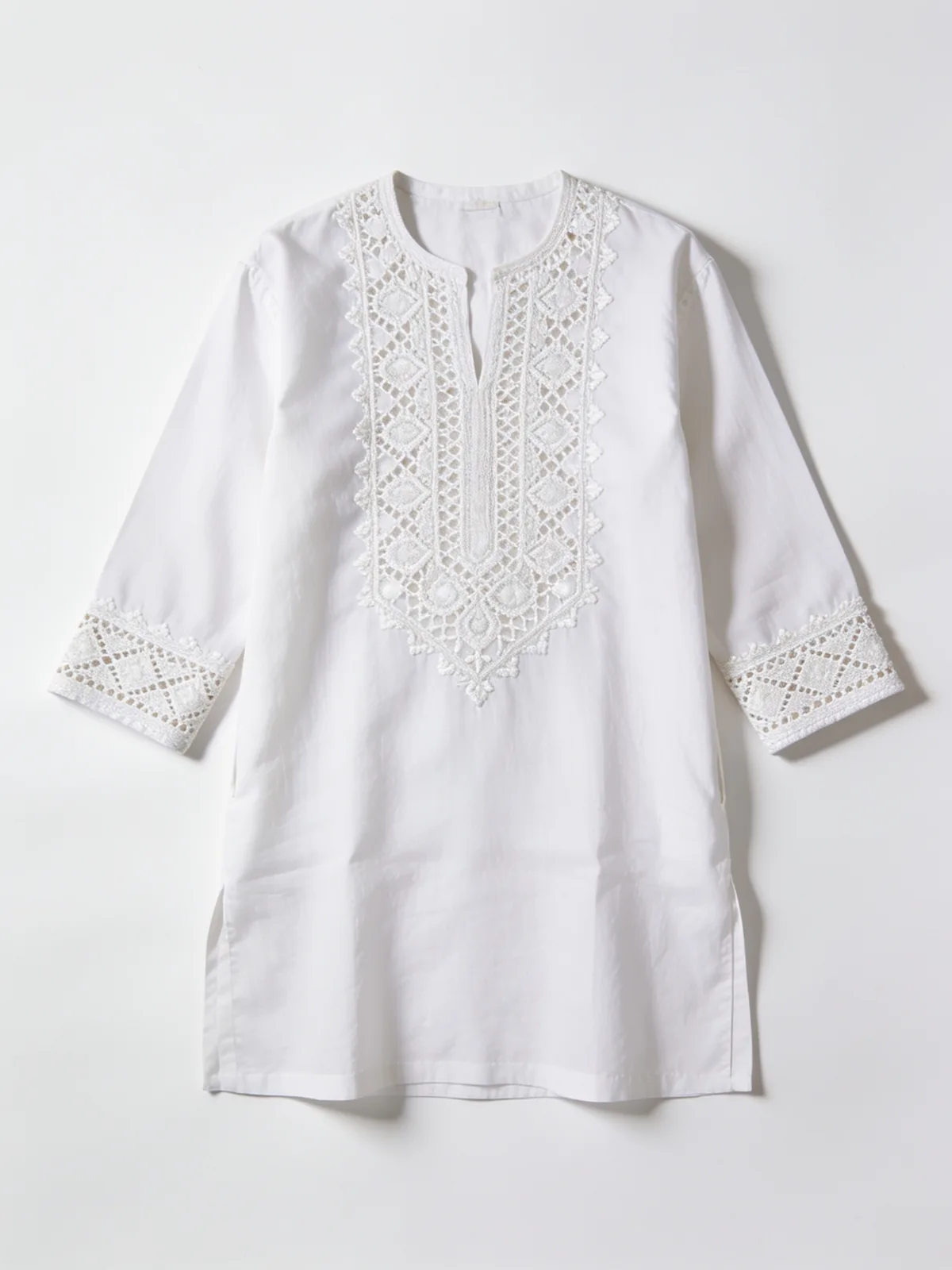
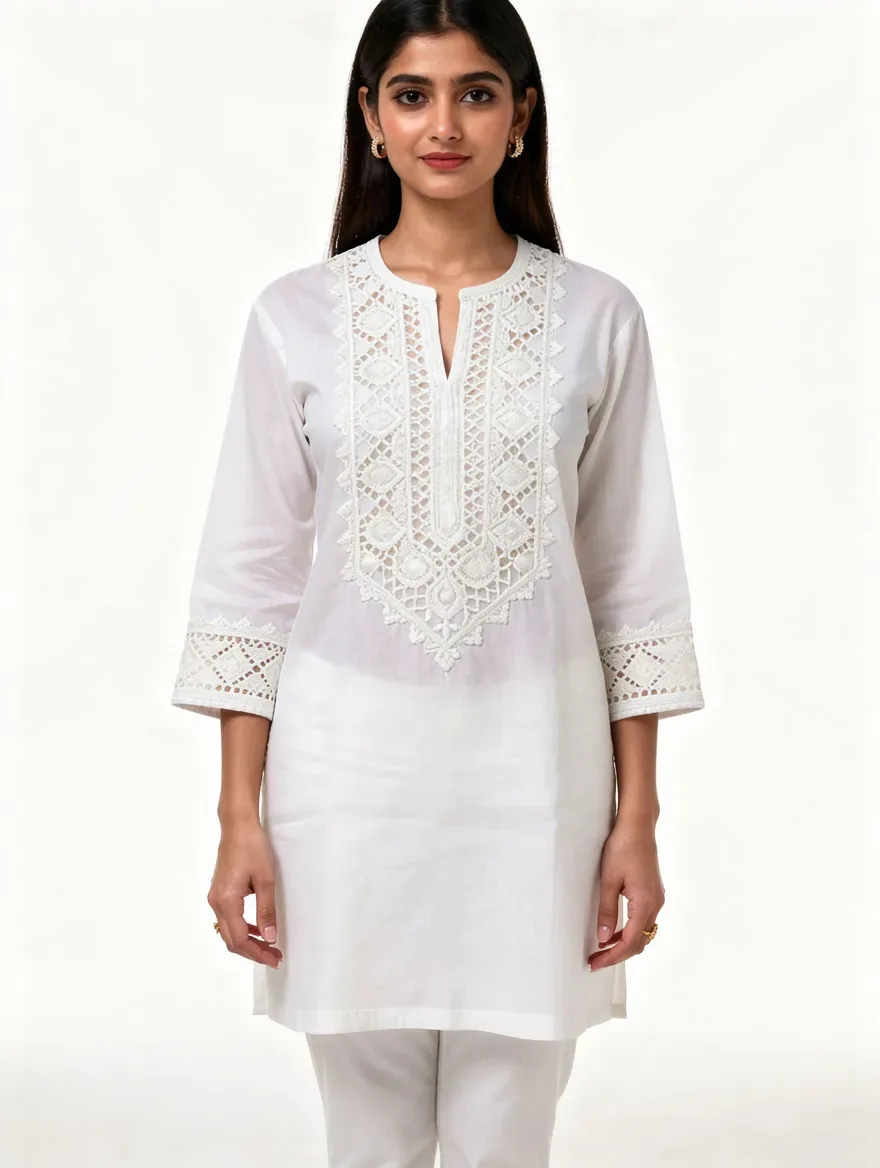
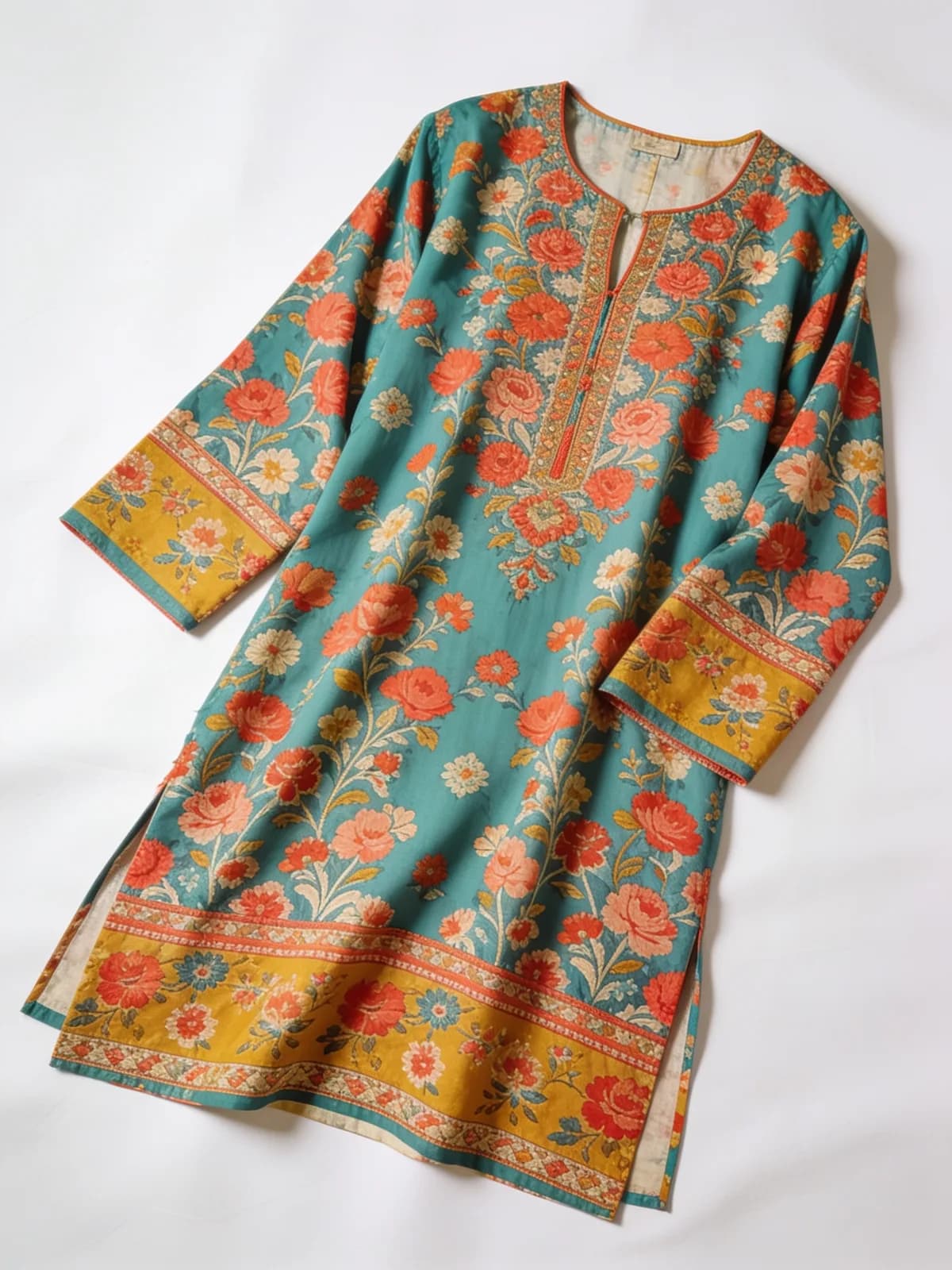
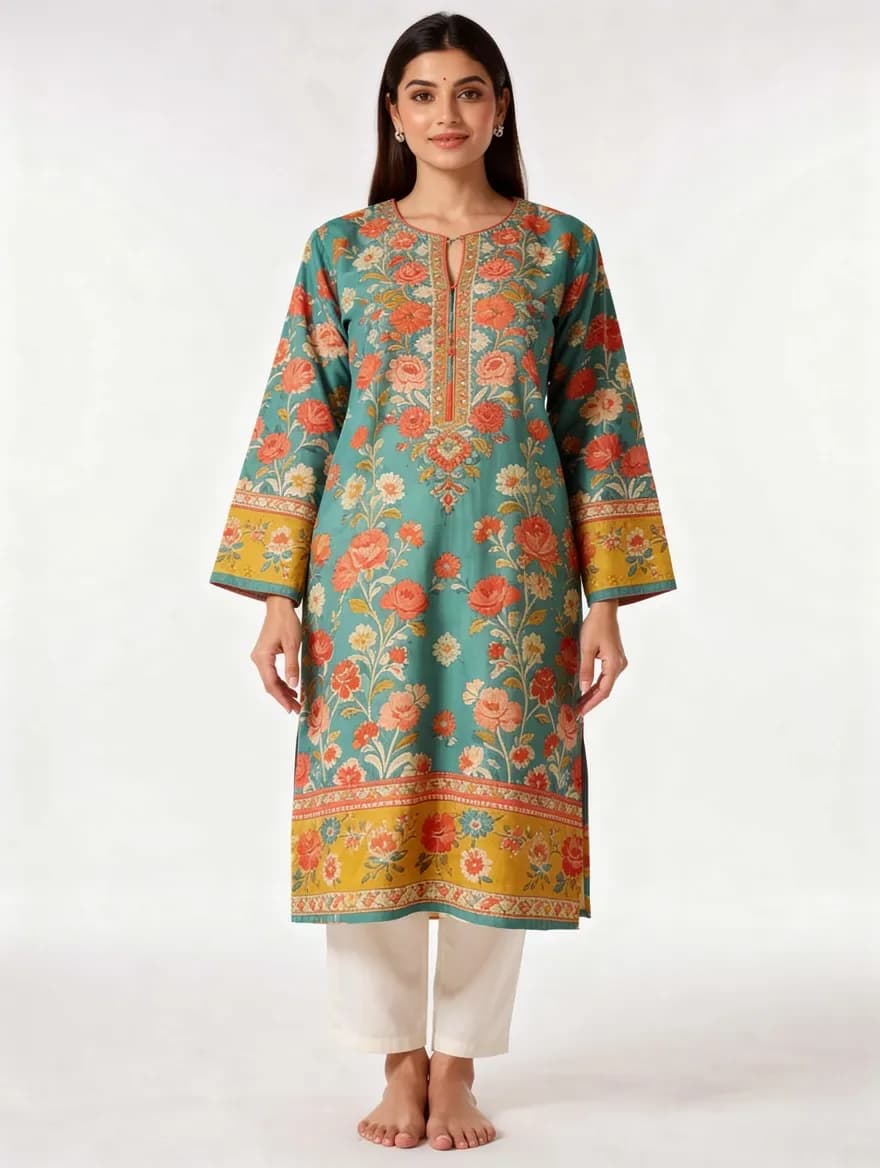
Real outputs from the Fashion Studio pipeline, unretouched.
One model, every SKU.
A Brand Model is a saved identity — the same face, cast into any scene your catalog needs. These frames share one model, not one shoot.
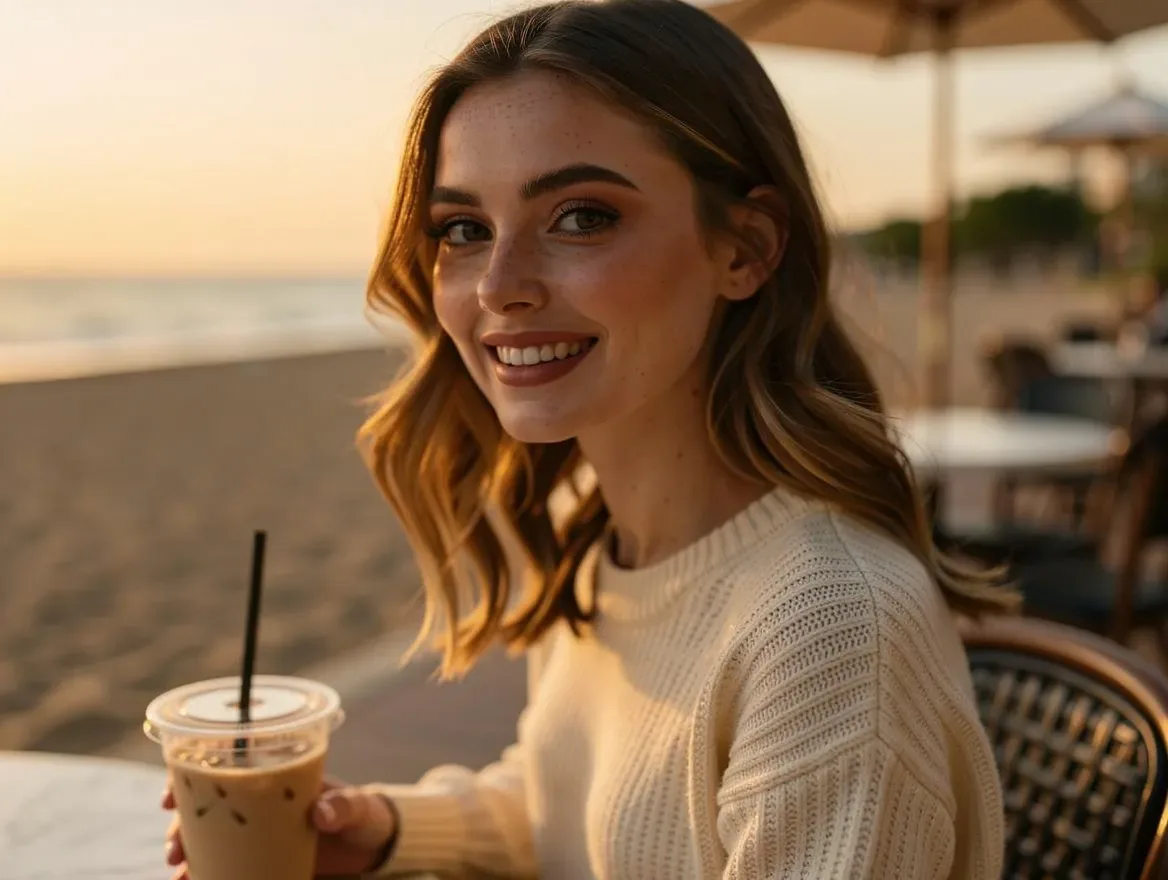
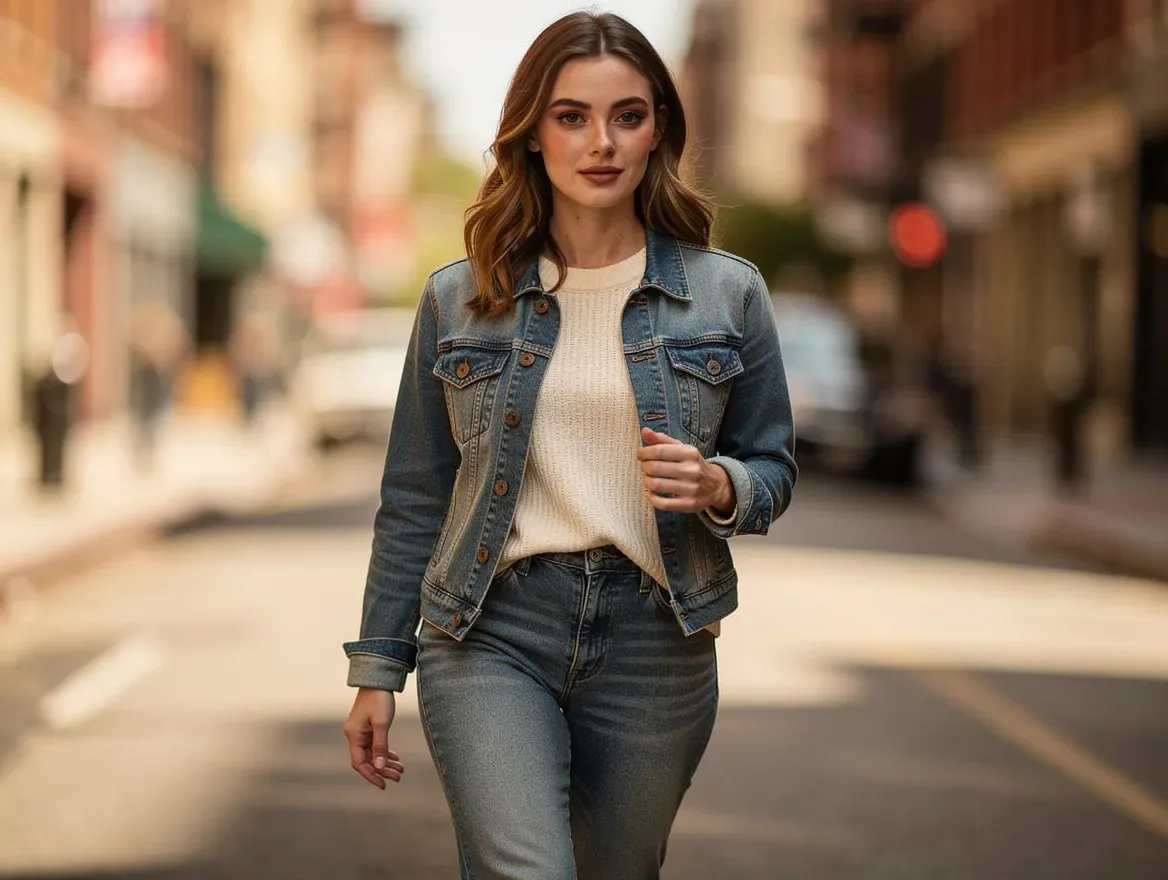
The two right-hand frames are the same saved Brand Model — café to street, one identity.
What a collection actually costs.
Compare your current annual shoot spend with an estimated LensGo cost for the same catalog output. Estimates — tune the inputs to your production.
In whatever currency you budget shoots in — studio, photographer, models, styling, and retouch for one day.
Traditional shoots · estimate
9,000
per year, in your currency — 6 shoot days across 3 collections
LensGo Fashion Studio · estimate
$100–$320
per year in USD — about 480 finished images at roughly 3 credits each. Provider and system failures refund automatically; rejects keep their original charge
Estimates only. Assumes roughly 25 garments photographed per traditional shoot day and a 4-image set per garment — adjust the inputs to match your production. The traditional total is in the currency you entered; the LensGo estimate is in USD at published per-image credit pricing.
From flat-lay to live product page.
Four steps in one browser tab — no studio day on the calendar.
STEP 01
Upload your flat-lays
Drag in flat-lay, ghost-mannequin, or hanger shots — a single garment or a 50-piece drop.
STEP 02
Pick your model & scene
Choose a saved Brand Model, a scene, and styling — including dupatta, hijab, and abaya presets.
STEP 03
Review the board
Accept, reject, or regenerate with a note. Provider and system failures refund automatically; the first re-roll per image is free and later re-rolls consume credits.
STEP 04
Export the PDP-ready set
Download your accepted images as a clean set, ready for product pages, social, and campaigns.
Questions, answered.
Put your next collection on models.
Upload one garment and see three on-model images before you spend anything — free with signup.