Flat-Lay to Model AI
Turn flat-lay garment photos into on-model shots
Credit cost is shown before generation
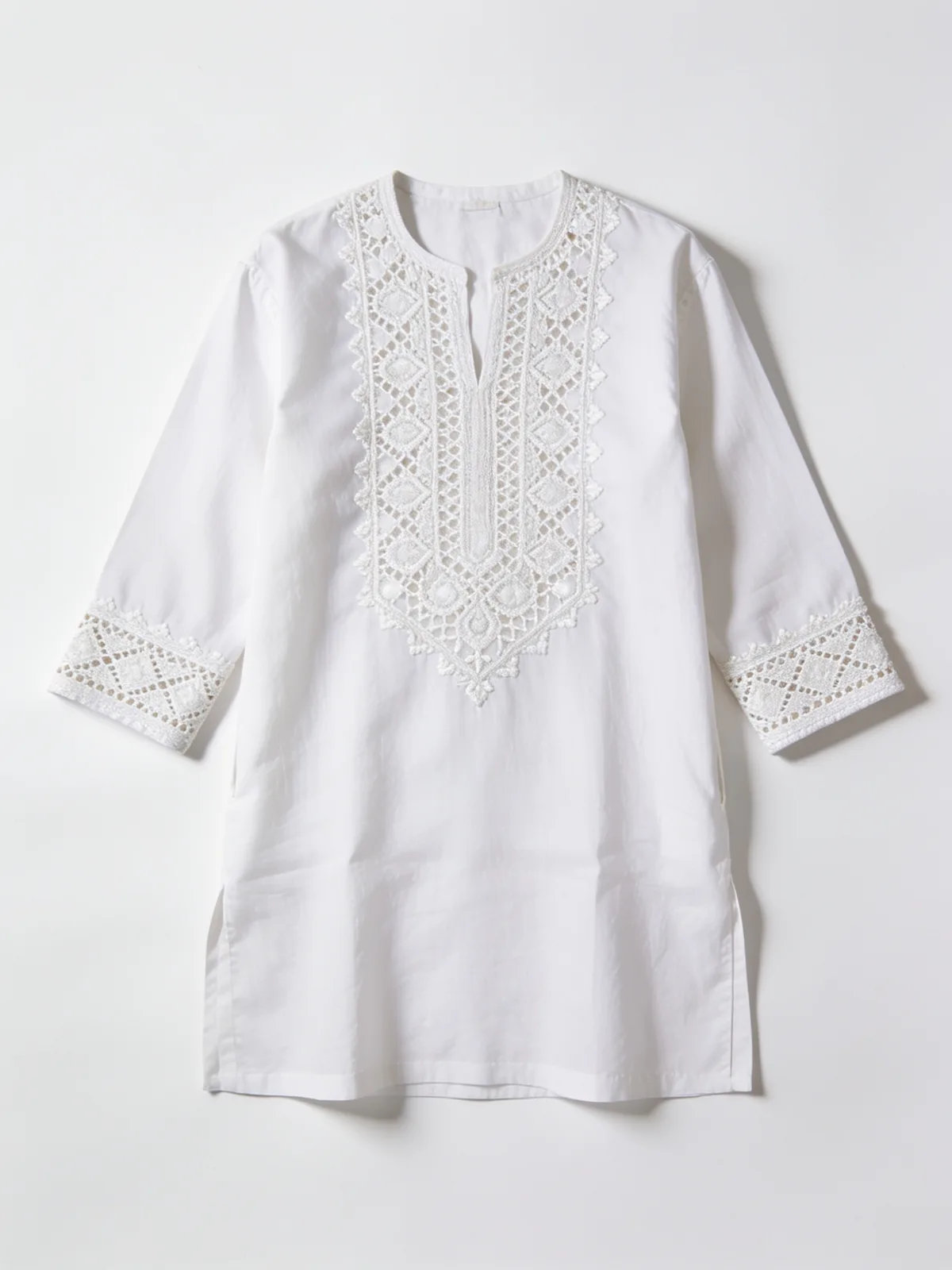 Your input
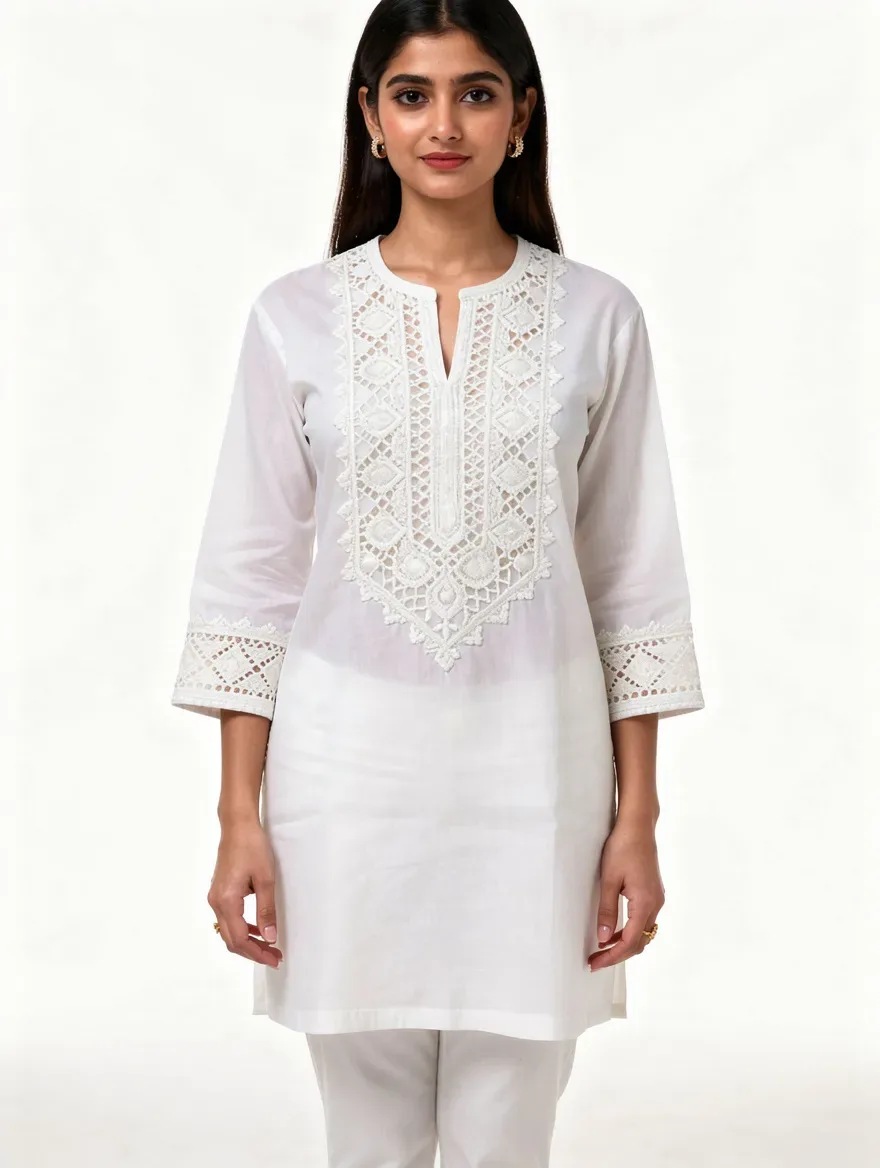 Lensgo output
How It Works
Convert a flat-lay photo of any garment into a photorealistic on-model image with AI. The garment's cut, print, and details carry over from your photo — no studio, no model booking, no reshoot when the collection changes.
Photograph the garment flat
Lay the piece on a plain surface in even light, or use a ghost-mannequin or hanger shot you already have.
Upload and choose the look
Pick the model, pose, and setting for the shot — studio-clean for product pages or lifestyle scenes for social.
Generate the on-model image
The AI dresses the model in your garment with natural drape and fit. Keep what works; your first re-roll on any image is free.
Start free. Scale anytime.
One credit system across Studio, Flow, and every tool. Cancel anytime.
Creator
- 120 credits per month
- All 60 AI models
- Studio + Flow access
- No watermark · HD
- Priority support
Yearly billing saves 20% · See all plans →
Frequently Asked Questions
Ready to try Flat-Lay to Model AI?
Credit cost is shown before generation. Create an account to open the tool; no purchase is made until you confirm a generation.