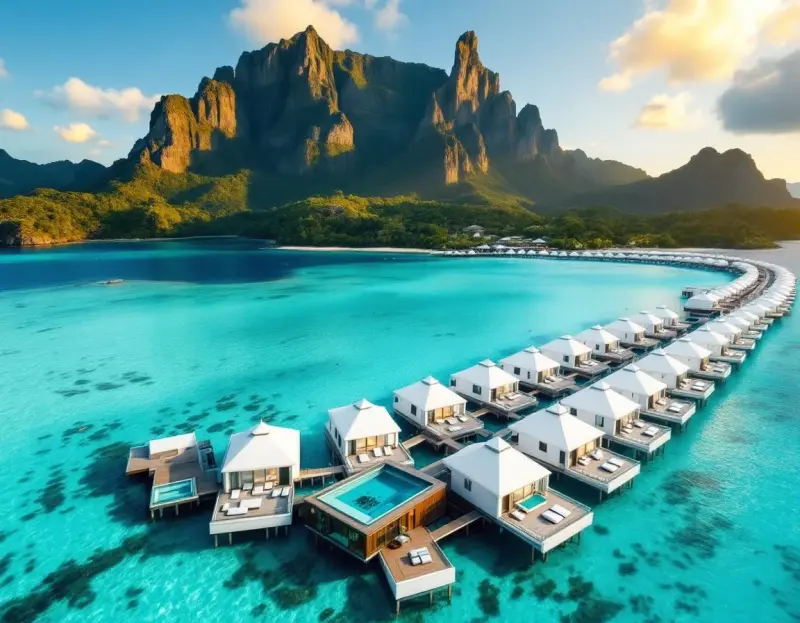
AI video generation has crossed the threshold from experimental curiosity to genuinely useful creative tool. Upload a photo and watch it come to life with realistic motion — waves crashing on a beach, hair blowing in the wind, clouds drifting across a sky. Or describe a scene in text and generate an entirely new video clip from scratch. The technology has reached a point where the results are good enough for social media, marketing materials, and creative projects.
How AI Video Generation Works
AI video generators use diffusion models — the same technology behind AI image generators — extended to produce sequential frames that create the illusion of motion. The AI understands physics, motion patterns, and temporal consistency, producing videos where movement looks natural rather than glitchy or surreal.
There are two primary modes:
Image-to-Video
Upload a still image and the AI animates it. The key capabilities include:
- Natural motion: Waves ripple, clouds drift, hair moves, fabric sways
- Camera movement: Subtle zoom, pan, or orbit around the subject
- Atmospheric effects: Adding rain, snow, wind, or lighting changes
- Character animation: Subtle facial expressions and body movement
This mode is particularly powerful when combined with AI-generated images. Generate a stunning landscape with the image generator, then bring it to life with the video generator — a workflow that produces cinematic content without a camera.
Text-to-Video
Describe a scene in text and the AI generates a video from scratch. This mode is more experimental but improving rapidly:
- Describe the scene, action, and mood
- Specify camera movement (tracking shot, aerial, static)
- Control duration (typically 4-8 seconds per generation)
- Chain multiple clips together for longer narratives
Available Models
Lensgo.ai offers several video generation models optimized for different use cases:
Seedance 2.0 — The latest and most capable model. Produces the highest quality output with the most natural motion. Best for cinematic content and detailed scenes.
Seedance 2.0 Fast — Optimized for speed. Produces good results in about half the generation time. Best for iterating on ideas and producing high-volume social media content.
Kling — Excellent for character animation and scenes with people. Handles facial expressions and body movement particularly well.
Wan — Strong with landscapes and nature scenes. Produces particularly convincing atmospheric effects like fog, rain, and dramatic lighting changes.
Best Use Cases
Social Media Content
AI video is transforming social media content creation. Instead of needing footage from every destination or product shot in motion, creators can generate scroll-stopping video content from still images:
- Travel Reels: Animate a destination photo with waves, clouds, and atmospheric motion
- Product videos: Turn static product photos into dynamic showcases with camera orbits and lighting effects
- Thumbnails that move: Create eye-catching animated thumbnails for YouTube
- Story content: Generate daily visual content without daily shooting
Travel and Destination Marketing
Tourism boards, hotels, and travel agencies use AI video to bring destination marketing to life. A static beach photo becomes a 5-second clip of turquoise waves gently lapping the shore. A mountain landscape gains drifting clouds and swaying trees. These micro-videos are far more engaging than still images in advertising and social content.
Creative and Artistic Projects
AI video opens creative possibilities that were previously impossible or prohibitively expensive:
- Animate artwork and illustrations
- Create music video visuals from AI-generated imagery
- Produce abstract and experimental motion graphics
- Generate B-roll footage for documentaries and presentations
E-commerce and Product Marketing
Product videos convert better than product photos, but producing video for every SKU is expensive. AI video generation offers an alternative:
- Animate product photos with subtle movement and lighting
- Create lifestyle scenes showing products in use
- Generate seasonal variations of product content
- Produce 360-degree rotation effects from single images
Tips for Better AI Videos
Start with a great image. Video quality is directly proportional to input image quality. Use high-resolution, well-composed images as your starting point.
Be specific about motion. When using text prompts, describe what should move and how. "Gentle waves lapping at the shore" produces more natural results than just "beach."
Keep it short. Current AI video technology is optimized for 4-8 second clips. Longer durations can introduce artifacts. For longer content, generate multiple clips and edit them together.
Match motion to subject. Subtle, natural motion (swaying trees, drifting clouds, gentle water ripples) looks more convincing than dramatic action (running, fighting, complex physical interactions).
Use the right model. Different models have different strengths. Experiment with Seedance for cinematic quality, Kling for character scenes, and Wan for nature landscapes.
Create your first AI video — free credits, multiple AI models, instant results.