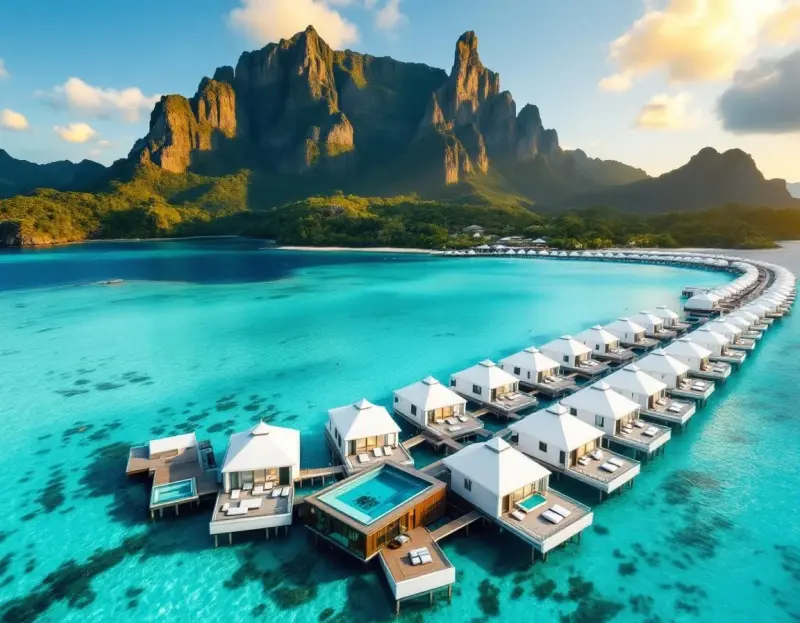
The assumption that video content requires a camera is one of the biggest misconceptions in content creation today. Some of the most-watched travel videos on YouTube and TikTok are built not from footage but from carefully sequenced still images — cinematic Ken Burns-style movements, creative transitions, and deliberate pacing that turn static images into compelling visual narratives. AI-generated imagery makes this approach faster and more visually consistent than working with stock photos, and the results can be genuinely indistinguishable from footage-based content.
The Ken Burns Approach
The technique is named after the documentary filmmaker who popularized it: slow, deliberate camera movements across still images — gentle pans, gradual zooms, and smooth tilts that create the illusion of motion. When applied to high-resolution AI-generated travel images, the effect is remarkably cinematic.
The key to making Ken Burns movements feel professional rather than amateurish is restraint. Each movement should be slow and purposeful — a gentle zoom into the focal point of an image, a slow pan that reveals the breadth of a landscape, a subtle tilt that creates a sense of vertical scale. Fast or erratic movements immediately break the illusion. In most editing software, this means setting keyframes that move the frame no more than 10–15% over 3–5 seconds.
For travel content specifically, different movement directions convey different emotions. A slow zoom-in creates intimacy and focus — perfect for revealing a detail like a window box of flowers or a temple's carved doorway. A slow zoom-out creates a sense of grandeur and reveals context — ideal for showing how a building sits within a landscape. A horizontal pan conveys journey and exploration, while a vertical tilt emphasizes scale.
Building a Visual Narrative
A great travel video tells a story, and story requires structure. The simplest effective structure for image-based travel videos is the three-act approach: arrival, exploration, and reflection.
Arrival (first 15–20% of the video) establishes the destination with wide, dramatic shots. Start with an aerial view or panoramic landscape that communicates "we are here." The pacing should be slightly faster than the rest of the video — each image holds for 2–3 seconds — to create energy and anticipation.
Exploration (middle 60%) dives into the details. This is where you show the variety and richness of the destination: streets, architecture, food, people, nature. The pacing slows down, letting each image breathe for 3–5 seconds. Vary your perspectives — wide shots followed by close details, daylight scenes alternating with golden hour or nighttime. This variety creates visual rhythm.
Reflection (final 15–20%) closes the story with the most emotionally resonant images — a sunset, a quiet moment, a final sweeping vista. The pacing slows further, and the final image should linger, giving the viewer a sense of closure and emotional satisfaction.
Transitions That Tell Stories
How you move between images is as important as the images themselves. Hard cuts (instant transitions) create energy and are best used in the exploration section where you want to convey variety and excitement. Cross-dissolves (gradual blending from one image to the next) create smoothness and continuity, and work beautifully in the arrival and reflection sections.
Whip pans — where the camera appears to quickly swipe between scenes — create the most dynamic energy and work well for quick montage sequences. In editing software, you achieve this by ending one clip with a horizontal motion blur and starting the next with the same blur clearing, creating the illusion of a fast camera movement between locations.
The most sophisticated technique is the match cut, where you transition between two images that share a visual element — similar shapes, colors, or compositions. Cutting from a circular window in a Moroccan riad to the round sun setting over the Sahara, for example. These transitions create a sense of intentional storytelling that elevates the entire video.
Audio Design
Audio transforms a slideshow into a video. The music you choose defines the emotional experience of your content, and it deserves as much thought as the visual selection.
For cinematic travel videos, instrumental music tends to work best because it supports the imagery without competing for attention. The tempo should match your editing pace — if your images hold for 4 seconds each, music with a slow, steady rhythm will feel natural, while fast-paced music will create a jarring disconnect.
Sound design — layering subtle ambient sounds beneath the music — adds a remarkable amount of immersion. The sound of waves for coastal scenes, city traffic and distant voices for urban content, birdsong and wind for nature sequences. These sounds don't need to be loud; they work best at the edge of perception, creating an atmospheric bed that makes the viewer feel present in the scene.
Optimizing for Different Platforms
Platform-specific optimization makes a significant difference in how your video performs. For YouTube, create in 16:9 widescreen with 4K resolution if possible — the platform rewards technical quality. Videos need to be at least 8 minutes long to qualify for mid-roll ads under YouTube's current rules, and longer videos give the algorithm more watch time to evaluate.
For TikTok and Instagram Reels, generate your AI images in 9:16 vertical format and keep the total length under 60 seconds. The pacing should be faster — 2 seconds per image maximum — and the opening image needs to be immediately arresting. Add text overlays that provide context (destination name, travel tip) since many viewers watch without sound.
For Pinterest Idea Pins, vertical format at a moderate pace works best, with text overlays that make each frame self-explanatory. Pinterest users often scrub through video content rather than watching linearly, so each individual frame should be visually compelling on its own.
The Production Workflow
An efficient workflow for creating AI-image travel videos looks like this:
- Outline your narrative structure — what story are you telling, and what visual beats do you need?
- Generate a batch of images, producing more than you need so you have selection options during editing.
- Import into your editing software, arrange according to your narrative structure, and apply Ken Burns movements.
- Select and sync music.
- Add transitions, text overlays, and sound design.
- Export in platform-specific formats and resolutions.
With practice, you can produce a polished 60-second travel video in under an hour. The AI generation step takes minutes; the editing is where you invest creative time. And because AI-generated images have consistent quality and style, the editing process is smoother than working with a mix of stock photos from different sources.