What if you could take a selfie at the Eiffel Tower, on a Bali beach, or in front of the Tokyo skyline — all without booking a flight? AI travel selfie generation makes this possible. Upload a clear photo of yourself, choose a destination, and the AI places you there with photorealistic accuracy — matching lighting, perspective, and even the natural shadows that make the image look genuinely captured on location.
This isn't just a fun novelty. AI travel selfies have become a genuine content creation tool for travel bloggers, social media creators, aspiring travelers, and even travel agencies marketing dream destinations. Here's everything you need to know about how it works and how to get the best results.
How AI Travel Selfies Work
The technology combines two AI capabilities: face analysis and scene generation.
First, the AI analyzes your uploaded photo, learning your facial features, skin tone, hair style, and natural expression. It creates a mathematical representation of your face that can be accurately reproduced in new contexts.
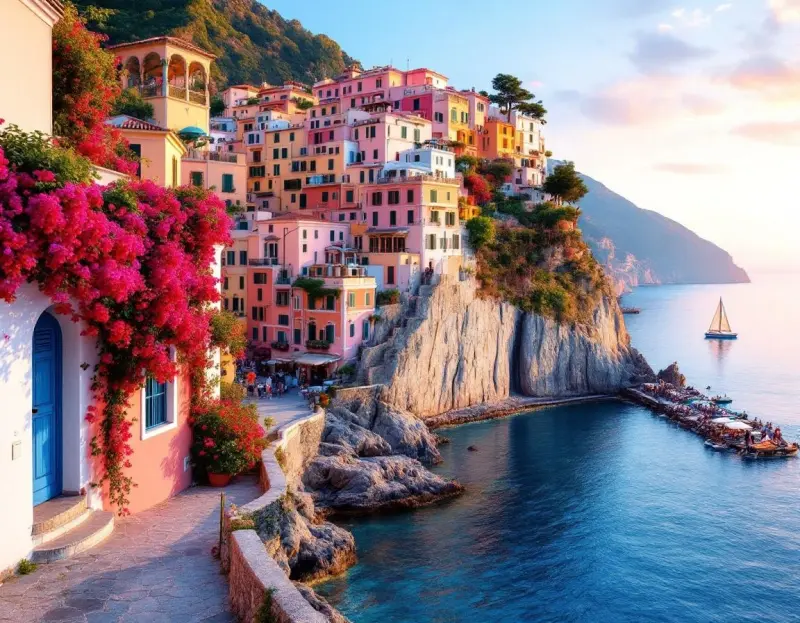
Second, the AI generates (or uses) a destination scene — the Amalfi Coast, a Tokyo crossing, a Santorini sunset — and places you naturally within it. The key word is "naturally." Modern AI doesn't just paste your face onto a background. It adjusts:
- Lighting to match the scene (warm golden light if you're placed at a sunset, cool blue tones for a cloudy European city)
- Perspective so your face appears at the correct angle and scale relative to the background
- Shadows that ground you in the scene rather than floating above it
- Color grading so your skin tones match the ambient light of the destination
The result looks like a genuine travel selfie — the kind you'd take with a phone held at arm's length, with a famous landmark over your shoulder.
Getting the Best Results
Upload the Right Photo
Your input photo matters enormously. The AI needs a clear view of your face to produce convincing results:
- Face the camera directly or at a slight angle — extreme profiles don't work as well
- Good, even lighting — avoid heavy shadows across your face
- Clear resolution — at least 512x512 pixels, but higher is better
- Natural expression — the AI reproduces your expression, so smile if you want to smile at the Eiffel Tower
- Plain or simple background — helps the AI isolate your features more accurately
Choose Your Destination
Lensgo.ai offers 40+ curated destinations, including:
- Europe: Paris, Santorini, Venice, Barcelona, London, Rome, Amsterdam
- Asia: Tokyo, Bali, Bangkok, Kyoto, Seoul, Singapore
- Americas: New York, Rio de Janeiro, Machu Picchu, Havana, San Francisco
- Africa & Middle East: Marrakech, Dubai, Cape Town, Cairo
- Oceania: Sydney, Great Barrier Reef, Queenstown
Each destination includes multiple scene options — you might see yourself at the Eiffel Tower from the Trocadéro, walking along the Seine, or sitting at a Parisian café.
You can also describe a custom destination in your own words, and the AI will generate a scene that matches your description. Want to stand in front of a volcano at sunset or on a snowy mountain peak? Just describe it.
Duo Mode: Travel Selfies with a Partner
One of the most popular features is Duo mode — generate travel selfies with your partner, friend, or family member. Both of you upload photos, choose a destination, and the AI creates a couples' or group travel selfie that looks like you both visited together.
This has become a popular gift for couples in long-distance relationships, friends planning future trips together, and families creating "wish list" travel photos for their bucket-list destinations.
Creative Use Cases
Social Media Content
Travel selfies generate massive engagement on Instagram and TikTok. The "before and after" format — showing your real selfie next to the AI-generated travel version — is particularly viral. Creators use clearly-labeled AI travel selfies to:
- Showcase dream destinations and build travel-focused audiences
- Create "destinations on my bucket list" content series with transparent AI labeling
- Generate engaging "which destination should I visit next?" content for audience interaction
- Visualize planned travel and get audience input before booking
Important note on disclosure: Always label AI-generated travel content as AI-generated when sharing. Geotagging an AI photo as if you were actually at a destination — without disclosure — is misleading to your audience and may violate platform policies. For sponsored content, FTC guidelines require that AI-generated imagery used in partnerships be disclosed. Authentic, disclosed AI content builds more sustainable audience trust than content that misleads about your actual travel.
Travel Planning and Inspiration
Seeing yourself at a destination makes the trip feel more real and motivating. Many users generate travel selfies at their dream destinations as a visualization tool — a personalized travel vision board. Travel agencies use this feature to help clients envision themselves at recommended destinations.
Gift Ideas
AI travel selfie prints make surprisingly thoughtful gifts:
- A couple's travel selfie at the destination of their honeymoon
- A family portrait at a theme park, the Grand Canyon, or the Colosseum
- A friend group at their dream travel destination, printed and framed
- A memorial travel selfie at a loved one's favorite destination
One important courtesy (and privacy) note: always get permission before uploading someone else's photo — gifts are a lovely surprise, but the upload itself shouldn't be.
Professional Travel Content
Travel bloggers and content creators use AI travel selfies to expand their content range beyond destinations they've physically visited. A travel blogger based in London can produce authentic-looking content from Bali, Kyoto, and Patagonia in a single afternoon — maintaining a consistent posting schedule without constant travel.
Privacy and Data Handling
Your photos are important, and privacy is a valid concern when uploading facial images to any platform. Lensgo.ai handles selfie photos with strict privacy practices:
- Automatic deletion: Selfie photos are automatically deleted after 24 hours (GDPR compliance)
- No model training: We don't use your photos to train models; provider processing is governed by our Terms
- Secure processing: Photos are processed in secure environments
- Limited sharing: Your uploaded images are shared only with the AI processing providers needed to generate your image (see our Terms), never sold or used for anything else
Tips for the Most Realistic Results
Match your outfit to the destination. If you're generating a beach selfie, a t-shirt or tank top looks more natural than a winter coat. The AI works with whatever you're wearing in the upload, so dress the part.
Consider the time of day. A photo of you in bright, direct light looks most natural placed in a daytime scene. A photo with softer, warmer lighting matches golden hour destinations better. Matching your input lighting to the destination's lighting dramatically improves realism.
Try multiple destinations. Your first generation might not be perfect, and some destinations naturally produce better results than others depending on your input photo. Generate a few options and compare.
Use high-quality input. The higher the quality of your uploaded photo, the better the AI can reproduce your features in the new scene. Front-facing smartphone photos in good lighting work exceptionally well.
Ready to visit your dream destination? Try Travel Selfies free — 40+ destinations, realistic AI selfies, 3 free per day.