AI Image: Ultra-realistic AI Video Edit Prompt (Copy & Paste) Use the uploaded video as the exact reference. P
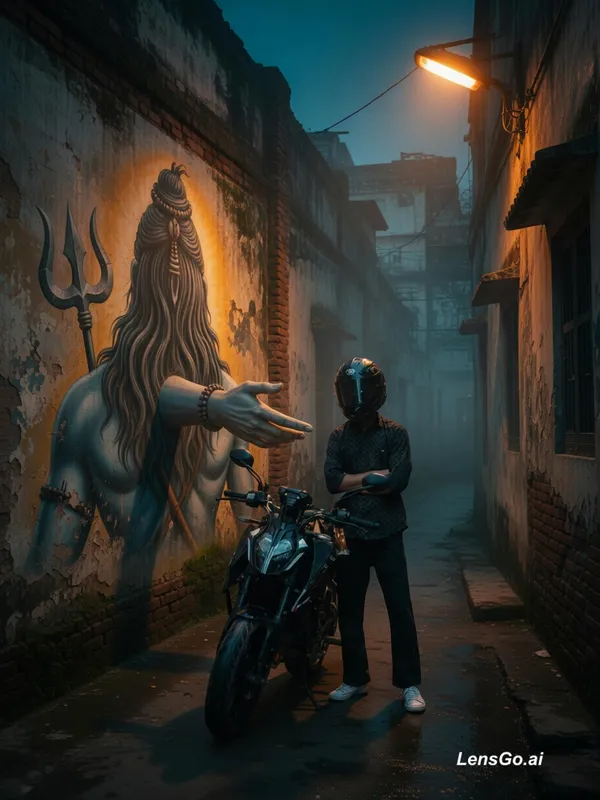
Prompt
Ultra-realistic AI Video Edit Prompt (Copy & Paste) Use the uploaded video as the exact reference. Preserve the subject's face, hairstyle, skin tone, expression, body proportions, outfit, backpack, phone, and all clothing details exactly as they are. Do not change the identity or appearance. Transform the video into a dark cinematic night scene in an old Indian alley. Add smooth cinematic slow motion (40-50%), subtle camera push-in (cinematic zoom), and realistic handheld camera movement. Create a warm orange sodium streetlight from the top corner casting golden highlights, balanced with deep blue and teal shadows. Add natural fog, atmospheric haze, soft low-light grain, wet ground reflections, and slightly desaturated cinematic colors. Place a massive realistic mural of Lord Shiva (back view with long hair and trishul) on an old weathered wall. Add a realistic 3D Shiva hand emerging naturally from the wall with accurate shadows and perspective. Keep a small gap between the subject's hand and Shiva's hand-they must not touch, creating a calm spiritual feeling. No glowing effects, no fantasy energy, no CGI look. Everything should look like a real DSLR night shoot. Use volumetric light, realistic shadows, detailed wall textures, natural reflections, cinematic depth of field, and high dynamic range. Keep the subject small in frame when appropriate, maintaining a realistic sense of scale. Background music: emotional cinematic instrumental with soft ambient pads, deep bass, and su
Created July 7, 2026
Create Your Own Version
Use this prompt as inspiration or remix it into something new.