AI Image: Completely remove the player located in the center-right of the image who is currently running towar
Prompt
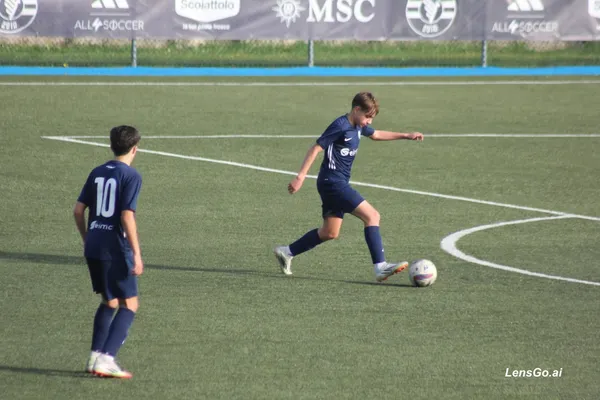
Completely remove the player located in the center-right of the image who is currently running toward the ball. Keep the referee, field, ball, lines, shadows, background banners, and all other elements unchanged. Transform the player wearing jersey number 10 (foreground, left side of the image) into the main action player. Reposition and pose the number 10 player so that he appears on the opposite side of the ball, approaching it naturally. Make him look as if he is striking the ball with his left foot. The kicking motion should be realistic, with proper body balance, arm positioning, and follow-through. Maintain the same uniform, socks, boots, hairstyle, body proportions, and facial characteristics as the original number 10 player. Ensure the ball remains in a believable position relative to the kicking foot. Match the lighting, shadows, perspective, depth of field, and image quality of the original photograph. Preserve the authentic look of a real youth football match. No duplicated players. No artificial or distorted limbs. No changes to the referee, background, advertising boards, or pitch markings. The final image should look like an untouched photograph captured during the match.
Created June 4, 2026
Create Your Own Version
Use this prompt as inspiration or remix it into something new.